Using Stepper in SwiftUI, we can increment or decrement a value. We can also set step size. Here’s a simple example of how you can use a Stepper in SwiftUI:
import SwiftUI

struct ContentView: View {
    @State var count:Int = 0
    var body: some View {
        Stepper("Value is \(count)", value: $count)
        .padding()
    }
}

#Preview {
    ContentView()
}
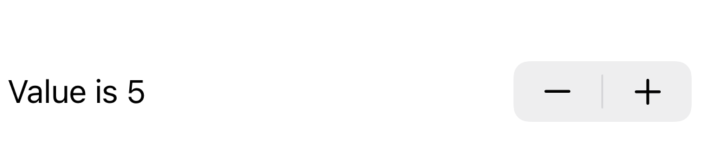
Step Size
We can set step size using step
import SwiftUI

struct ContentView: View {
    @State var count:Int = 0
    var body: some View {
        Stepper("Value is \(count)", value: $count,  step: 2)
        .padding()
    }
}

#Preview {
    ContentView()
}
In this example, value will increase and decrease by 2.
We can use decimal as step too:
import SwiftUI

struct ContentView: View {
    @State var count: Double = 0
    var body: some View {
        Stepper("Value is \(count, specifier: "%.2f")", value: $count, step: 0.1)
        .padding()
    }
}

#Preview {
    ContentView()
}
Step range
We can set range of Stepper:
import SwiftUI

struct ContentView: View {
    @State var count:Int = 0
    var body: some View {
        Stepper("Value is \(count)", value: $count, in: 0...10)
        .padding()
    }
}

#Preview {
    ContentView()
}
In this example, we set stepper range 0-10. We can only increment or decrement between this range.
onIncrement and onDecrement:
Using onIncrement and onDecrement, we can run custom code too. For example:
        Stepper("Value is \(count)") {
            count += 1
        } onDecrement: {
            count -= 1
        }